

What is metadata? In the simplest terms, metadata is data that describes other data. It’s a crucial component of digital organization and SEO, helping both users and search engines understand the context and content of webpages. This article demystifies metadata, exploring its types, roles, and pivotal place in enhancing web presence and streamlining information retrieval.
Key Takeaways
- Metadata is critical for SEO, providing structured information to search engines about a webpage’s content, influencing rankings and how information is displayed and shared online.
- Well-crafted meta tags, including descriptive titles and unique meta descriptions, play a vital role in a website’s click-through rates and overall search engine presence.
- To optimize metadata effectively, one should avoid duplicate content, balance keyword usage, ensure concise and relevant tags, and leverage tools like Google Search Console and SEO plugins.
Unveiling Metadata: A Primer
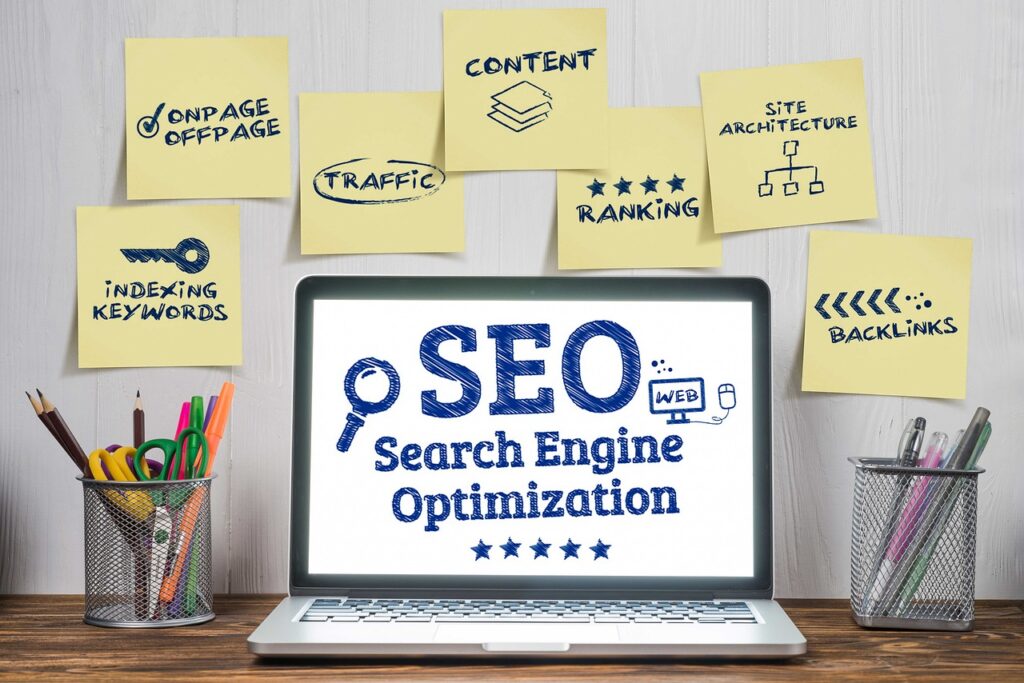
Diving into the digital cosmos, let’s start with the basics: metadata is essentially data about data. It’s the backstage pass to understanding the content of a webpage, offering insights that search engines like Google use to sort and present information in a meaningful way. It’s a common misconception that metadata is some sort of arcane code meant to catapult websites to the top of search results through sheer magic. But in reality, metadata is a structured reference that helps identify the attributes of the information it describes, forming a core aspect of SEO that extends far beyond just meta tags.
At Scottsdale Website Design, we’re well-versed in all things SEO, and we’re here to clarify everything you need to know about how metadata contributes to your website’s Google ranking.
The Essence of Metadata
Metadata is the DNA of digital content. It’s a part of your website’s technical SEO and is very important. It’s structured information that lays bare the “what,” “why,” and “how” of the underlying data, making it easier to retrieve, use, or manage an information resource. As layers of context and meaning, metadata enriches web content, shedding light on the subject matter and enhancing its discovery.
When crafted expertly, it becomes a beacon, signaling to search engines and users alike the value and relevance of a webpage’s content. Of you are new to SEO or don’t really know what is search engine optimization then this article will explain it in depth.
Types of Metadata
Metadata comes in various forms, each serving distinct functions in the grand scheme of digital information management. Administrative metadata is like the behind-the-scenes crew, holding vital information on data origins, usage, and archival—crucial for tracking a resource’s lifecycle.
On the other hand, descriptive and structural metadata are the spotlights that illuminate properties, history, versions, and other details in structured fields, serving the critical roles of tracking, classification, and analysis.
Importance in Digital Contexts
In the digital realm, metadata is akin to a compass for search engines, helping them navigate and understand the contents of a webpage. Some key aspects of metadata include:
- Title tags, which play a significant role in summarizing page content and directly impact visibility in search results
- Description tags, which provide a brief overview of the page’s content
- Keyword tags, which indicate the main topics or themes of the page
- Alt tags, which describe images on the page for visually impaired users and search engines
Metadata enhances the efficiency of the crawling process, allowing search engines to sift through the web’s vast information with precision.
Beyond search engines, metadata determines how information is displayed and shared on social media and web browsers, directly influencing user engagement.
The Role of Meta Tags in Metadata

Stepping into the world of meta tags, these are the unsung heroes embedded within a webpage’s HTML code. Positioned in the head section, meta tags serve as a treasure trove of essential data that tells search engines about the nature of the content they’re about to crawl. From the descriptive to the administrative, these tags define various aspects of a page, like its:
- title
- description
- keywords
- author
- language
- viewport settings
and play a vital role in how a website is portrayed in search results.
Recognizing a variety of meta tags, search engines interpret the following meta tags differently, each with specific functions:
- ‘description’: provides page summaries
- ‘robots’: dictates how a page should be indexed
- ‘googlebot’: influences how Google’s search engine crawls and indexes a page
- ‘viewport’: ensures mobile compatibility, also known as the meta viewport tag
The influence of meta tags cannot be overstated, as they shape the rate at which users click through to a website, directly affecting its online presence.
Meta Description Tag
The meta description tag is the elevator pitch of your webpage: it informs and intrigues users with a concise summary, making it a decisive factor in whether they click through from the search engine results page (SERP). This short description, appearing just below the page title in search results, sets the stage for what users can expect on the webpage, and its alignment with the actual content is crucial to avoid misleading visitors and incurring Google penalties.
Ideal meta descriptions are succinct, generally ranging from 50 to 160 characters, ensuring the message is fully visible in search result snippets without being truncated. Moreover, crafting unique meta descriptions for each page can prevent issues of duplication, as repetitive descriptions can dilute the uniqueness of your webpages in search results.
Title Tag Significance
Title tags are the billboards of the digital highway, catching the attention of users and search engines alike. They are a critical determinant of search rankings and play a pivotal role in a user’s decision to click on a search result. Google itself places great emphasis on titles, viewing them as a quick and powerful snapshot of the content’s relevance to a search query.
The meta title, or the page title displayed in search results, is instrumental in helping search engines understand and appropriately rank webpage content. The SEO Title, in particular, gives a clear and detailed title for the page, contributing not only to search engine optimization but also to the overall design and user experience of the website.
Meta Robots Directive
The meta robots tag is the conductor of the search engine orchestra, directing the flow of the crawling and indexing process with precision. Through values like ‘index’, ‘noindex’, ‘follow’, ‘nofollow’, and others, this tag dictates specific instructions to search engines on how to treat the page regarding indexing and linking. In the absence of explicit directives, search engines will default to ‘index’ and ‘follow’, including the page in their vast index and following its links for further crawling.
By using the meta robots tags strategically, websites can optimize their crawl efficiency, ensuring that the search engine’s resources are allocated efficiently and only the most relevant pages are indexed.
Enhancing Search Engine Understanding with Metadata

Metadata is the guiding light for search engines as they scan the vast digital landscape, seeking to serve the most relevant content to users. By recognizing meta tags and addressing metadata performance issues, search engines like those by Market Brew can fine-tune their understanding of a site’s structure and content, potentially influencing search rankings. Tools like Google Search Console are invaluable here, providing webmasters with insights to ensure that their pages are indexed correctly and displayed prominently in search results.
Through metadata, search engines discern the relevance of a webpage to a search query, which is a crucial determinant in the webpage’s position on the SERP.
Improving Crawl Efficiency
Metadata is the compass that points search engines in the right direction, ensuring they crawl webpages selectively and allocate their crawl resources wisely. With metadata’s guidance, search engines can direct their efforts towards the site’s most pertinent pages, avoiding the less relevant ones. Robots meta tags play a critical role here, providing clear-cut instructions on which pages should or should not be included in the search index, thus optimizing the crawl process and preserving the search engine’s crawl budget. This functionality is fundamental, as it enhances crawl efficiency and enables search engines to decipher content and context with greater accuracy.
Indexing and Content Relevance
Metadata elements such as title tags and descriptions are more than just labels; they are the factors that influence how a webpage is indexed and ranked in response to search queries. The combination of these metadata elements fine-tunes a webpage’s indexing and places it appropriately within the context of a user’s search.
When a user performs a search, the metadata serves as a critical factor for search engines to judge the relevance of webpages to the search query. Title tags and meta descriptions, in particular, provide search engines with a snapshot of a webpage’s topical relevance, further refining the page’s alignment with the user’s search intent.
Metadata and User Experience

The synergy between metadata and user experience cannot be overstated. Metadata, through its title and description tags, shapes how web pages are presented in search results, thereby influencing user experience by providing clear and concise information that sets expectations. A well-crafted meta description can be a game-changer, boosting a user’s likelihood to click through from search results by offering a succinct preview of the web page’s content.
Moreover, optimized metadata is crucial for ensuring content shared on social media platforms is displayed attractively, enhancing user behavior and engagement. However, it’s worth noting that misleading meta tags can lead to a negative user experience and diminish engagement, as they create expectations that don’t align with the actual content of the web page.
Crafting Click-Worthy Snippets
Crafting click-worthy snippets is an art form that hinges on the power of an effective meta description. These tags can significantly impact click-through rates, as they are among the first elements users see in search results, and a captivating tag can lead to a surge in site traffic.
An effective meta description is:
- Unique
- Precise
- Relevant to the page content
- Functioning like ad copy to entice users to click
- Summarizing the webpage content engagingly with a clear value proposition.
Thoughtful and strategic incorporation of relevant keywords can enhance the effectiveness of a meta description, as keywords draw attention and are often highlighted by Google in the search results when they match the search query. Optimizing the length of meta descriptions to around 155 characters ensures the message isn’t truncated in search results, while accuracy in reflecting the page’s content fosters user trust and reduces bounce rates.
Social Sharing Optimization
In the realm of social media, metadata takes center stage in determining how content is previewed and shared. Metadata tools like Open Graph and Twitter Card tags are the architects behind the clear and attractive presentation of content on social platforms, influencing user behavior and engagement.
These important meta tags are particularly impactful when sharing on social media as they can significantly improve the clarity and attractiveness of content, which in turn can affect how users interact with it. One such meta tag that plays a crucial role in this process is the “title” tag.
Best Practices for Metadata Optimization

To ensure that the metadata of a website shines in the search engine arena, it’s important to follow best practices. These include utilizing descriptive, keyword-rich metadata in titles and descriptions to bolster search engine ranking and web presence. Remember, meta tags and metadata are not just background elements; they directly influence how search engines understand and display web page content, impacting visibility and ranking.
Avoiding Duplicate Meta Descriptions
Duplicate meta descriptions are like wearing the same outfit to every party: they make each appearance less special and can lead to a less memorable impression. Similarly, identical meta descriptions across multiple pages can result in:
- lower click-through rates
- less organic traffic
- potential harm to a brand’s reputation
- ranking issues for the website
Search engines may even penalize sites with repetitive meta descriptions.
When users encounter the same meta description for different pages, it can degrade the user experience on search engines by making the pages appear indistinguishable. It’s essential to prioritize unique meta descriptions, especially for pages that are of high business importance or have significant search traffic potential, to maximize SEO benefits.
To tackle duplication, tools like the Duplicate content report can be used to identify and address these issues.
Balancing Keyword Use
While keywords are the compass that guides users to your content, it’s essential to balance their use wisely. Best practices for creating meta titles include being descriptive and including target keywords without stuffing, matching search intent, and keeping under 60 characters to ensure full visibility on SERPs.
Meta keywords should reflect the content, match user intent, and include variations and long-tail versions of the keywords to cover a broader range of search queries. A golden rule is to optimize metadata with 5-10 relevant keywords per page, avoiding overstuffing to prevent being seen as spammy. It’s all about the natural integration of keywords in the meta keywords tag to avoid excessive repetition, which could be flagged as keyword stuffing by search engines.
In essence, SEO keywords are the terms related to the main ideas expressed on a page, which assist in improving the page’s discoverability. By crafting unique and descriptive meta descriptions that include the primary keyword and cater to the search intent, you can avoid duplication and enhance your SEO strategy.
Keeping Tags Concise and Relevant
When it comes to meta tags, brevity and accuracy are your allies. Effective meta descriptions should be less than 120 characters, follow sentence case, and include keywords naturally while being descriptive, concise, and matching search intent. The generally accepted character limit for meta descriptions is around 155 characters, which considers the possibility of search engines displaying the date alongside the snippet. Such considerations are crucial for ensuring the meta description’s length is optimal and not truncated in search results.
Meta tags need to succinctly and accurately reflect the content on the webpage to ensure optimal search engine performance and user understanding. Tools like AI chatbots can be deployed to draft meta descriptions by summarizing content within specified character limits and incorporating relevant entities for factual enhancement.
Advanced Metadata Concepts
As we venture further into the metadata universe, advanced concepts come into play. These include structured data and schema markup, which provide rich results and improved display in SERPs, and canonical tags, which are essential in preventing duplicate content issues. It’s noteworthy that the evolution of metadata’s utility is evident in Google’s decision to stop using meta keywords in its ranking algorithm due to their susceptibility to abuse.
Structured Data and Schema Markup
Structured data is the secret sauce that allows web pages to communicate more effectively with search engines using a standardized vocabulary. By implementing schema.org vocabulary, you’re providing a shared lexicon for search engines to interpret web content, contributing to a more effective presentation in search results.
The allure of rich results lies in their enhanced visual features, such as images or ratings, which often result in a higher click-through rate. While including structured data doesn’t guarantee rich results, it significantly increases the likelihood of your content being displayed in this eye-catching format.
Canonical Tags and Their Role
Canonical tags are like the GPS coordinates that tell search engines the most authoritative version of a web page, preventing them from getting lost in a sea of duplicate content. They are crucial for SEO, as they guide search engines in understanding which page is the ‘canonical’ or ‘master’ copy, thus preventing SEO problems related to content duplication.
Best practices for canonical tags include:
- Using absolute URLs
- Placing them in the HTML header
- Considering their use in scenarios involving URL variations, as they help search engines decide which URL to index when faced with identical or nearly identical content.
However, misuse of canonical tags can lead search engines to ignore pages or entire websites, thereby adversely affecting traffic and search rankings.
Metadata Tools and Resources
With the right tools and resources, mastering the art of metadata becomes a powerful strategy for enhancing your website’s search engine performance and user experience. From Semrush’s On Page SEO Checker, which helps ensure keyword-optimized meta descriptions, to Ryte’s canonicalization tools that eliminate the need to check each page’s source code manually, the digital toolbox is brimming with options for webmasters.
Additionally, WebCEO’s keyword tool suggests high-volume search terms and related keywords to enhance metadata’s appeal in snippets. Moreover, plugins like Yoast SEO provide previews of how meta descriptions will appear on both mobile and desktop search snippets, allowing for platform-specific optimization.
Utilizing Google Search Console
Google Search Console is a treasure trove of insights for webmasters seeking to enhance their search performance. From tracking organic traffic and keyword rankings to evaluating user experience through the Experience Report, this tool is invaluable for anyone looking to improve their website’s search presence.
The Links Report within Google Search Console is particularly useful for analyzing the backlink profile (learn what are backlinks). This provides a comprehensive view of internal and external links, top linking sites, and anchor text distribution. SEO reporting dashboards that integrate with Google Search Console can streamline the monitoring and reporting process, making it easier to keep a pulse on key SEO performance metrics.
Leveraging SEO Plugins
SEO plugins are the helping hands that simplify metadata management and optimization. Yoast SEO, for instance, is a widely-used plugin that aids in the optimization of metadata across a website. It provides features like variables to streamline meta descriptions and tools to assess their length and focus keyphrase inclusion, ensuring each page’s metadata is not only unique but also SEO-friendly.
Moreover, SEO plugins can take the guesswork out of structured data implementation, aligning your site with the latest Schema.org guidelines and enhancing your content’s appeal to search engines.
Summary
As we wrap up our exploration of metadata, it’s clear that this often-underestimated aspect of SEO is a cornerstone of digital content discovery and user experience. From the crucial role of meta tags in defining and representing web pages to the advanced applications of structured data and canonical tags, metadata is integral to the success of your website in the search engine landscape. Remember that metadata is not a set-and-forget element; it requires careful consideration, strategic optimization, and regular updates to ensure that your content remains relevant and competitive. With the right approach and tools, metadata can be your website’s guiding star in the vast digital universe, leading users and search engines alike to the valuable content within.
Frequently Asked Questions
What is an example of metadata?
Metadata can include information like author, date created, date modified, and file size, and it is also used for unstructured data such as images, videos, web pages, and spreadsheets. For example, web pages often include metadata in the form of meta tags.
What is difference between data and metadata?
Data refers to the actual information, such as measurements or observations, while metadata provides information about the data, helping to identify its nature and characteristics. Both are important for understanding and organizing information.
What is metadata and why is it important?
Metadata is important as it provides basic information about data, making it easier to find and work with. It helps in explaining the origin, nature, and lineage of the data.
What are the three main types of metadata?
The three main types of metadata are descriptive, administrative, and structural. Descriptive metadata helps with discovery and includes elements like title and author, while administrative metadata supports resource management.
How do meta tags affect my website’s visibility in search results?
Meta tags like title tags and meta descriptions provide important information to search engines about your webpage’s content, impacting how your site is displayed in search results and ultimately affecting click-through rates and traffic.